 JetLogix
9 Calendar
My Schedule shows on one calendar your tasks and events, the expected arrivals of incoming shipments, the dispatches of outgoing shipments and the public holidays of Greece and Bulgaria.
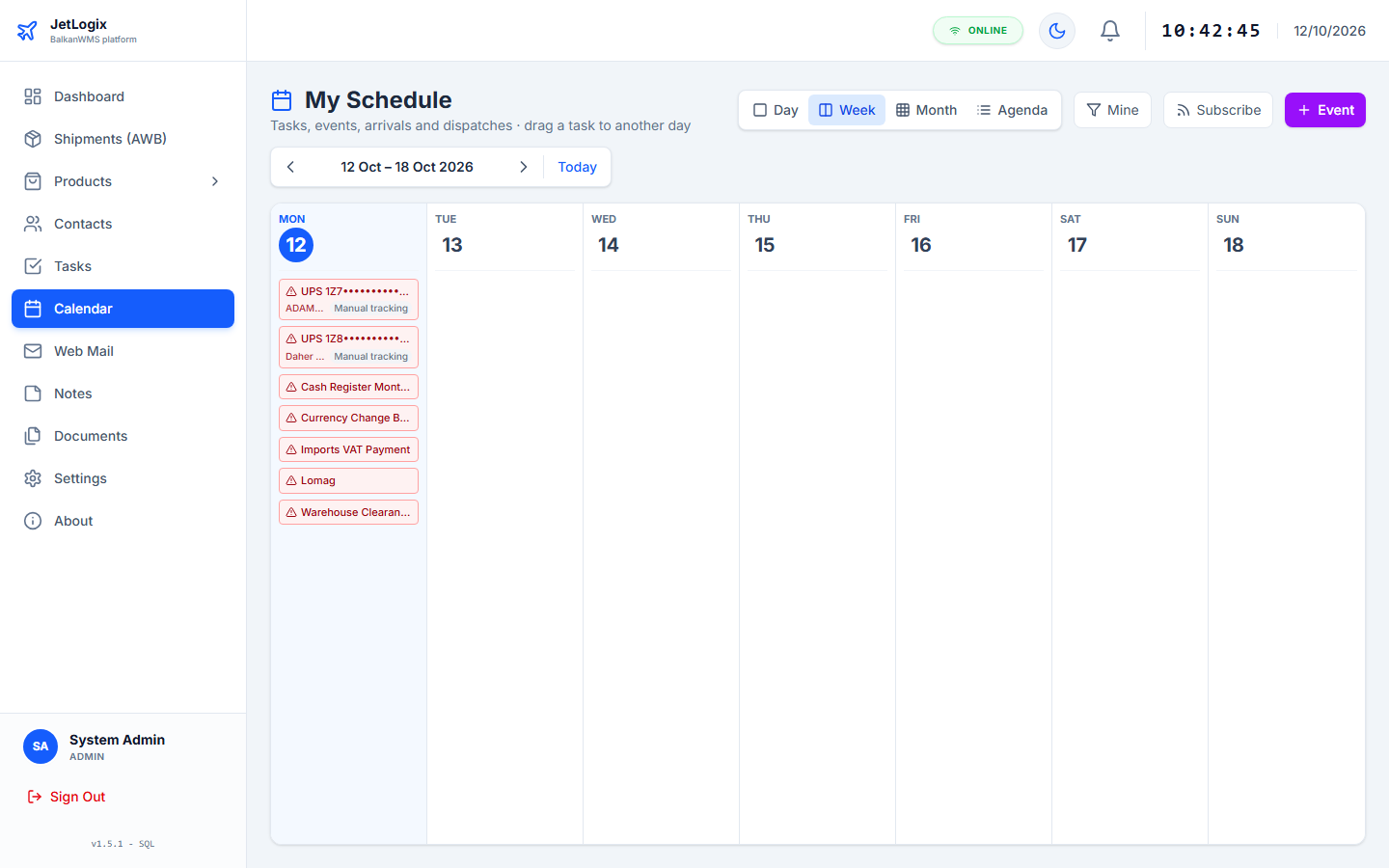
9.1 Views
Choose the view at the top: Day, Week, Month or Agenda (the next 30 days as a list). Use the arrows to move to the previous or next period and Today to come back. JetLogix remembers your choice.
9.2 What the calendar shows
| Colour | Item |
|---|---|
| Blue | Your tasks. Public tasks are indigo, unassigned tasks amber. |
| Purple | Events. |
| Green | Incoming shipments, on their expected arrival date (the carrier's date when known). |
| Light blue | Outgoing shipments, on their departure date. |
| Red, on today | Overdue tasks and late arrivals. |
| Faded, dashed border | The next dates of repeating tasks. |
| Rose background | Public holidays, with the flag of the country. |
Shipments show their tracking status. In the Month view at most three items are shown per day, followed by +N more.
9.2.1 Filter
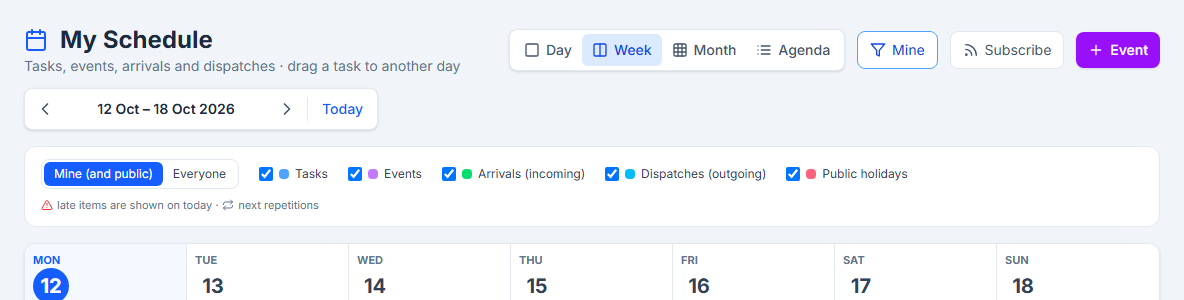
Press the filter button (Mine / Everyone):
- Mine (and public) shows your own and the public items; Everyone shows the items of all colleagues.
- Tick what to show: Tasks, Events, Arrivals (incoming), Dispatches (outgoing), Public holidays.
9.3 Working with the calendar
- Move a task or event: drag it to another day (or, in the Day view, to another hour). The duration is kept.
- Add an item: right-click a day, or point at it and press +, then choose Add event or Add task. In the Day view, double-click an hour.
- Open a shipment: click it to open the shipment form.
- Open a task or event: click it to see its details, then Edit, Done (or Done, next date) or Delete.
The Day view starts at 07:00 and has an All day strip for items without a time.
9.4 Your calendar in Outlook or on your phone
You can see your JetLogix calendar in Outlook, Thunderbird, Google Calendar or on your phone. Press Subscribe:
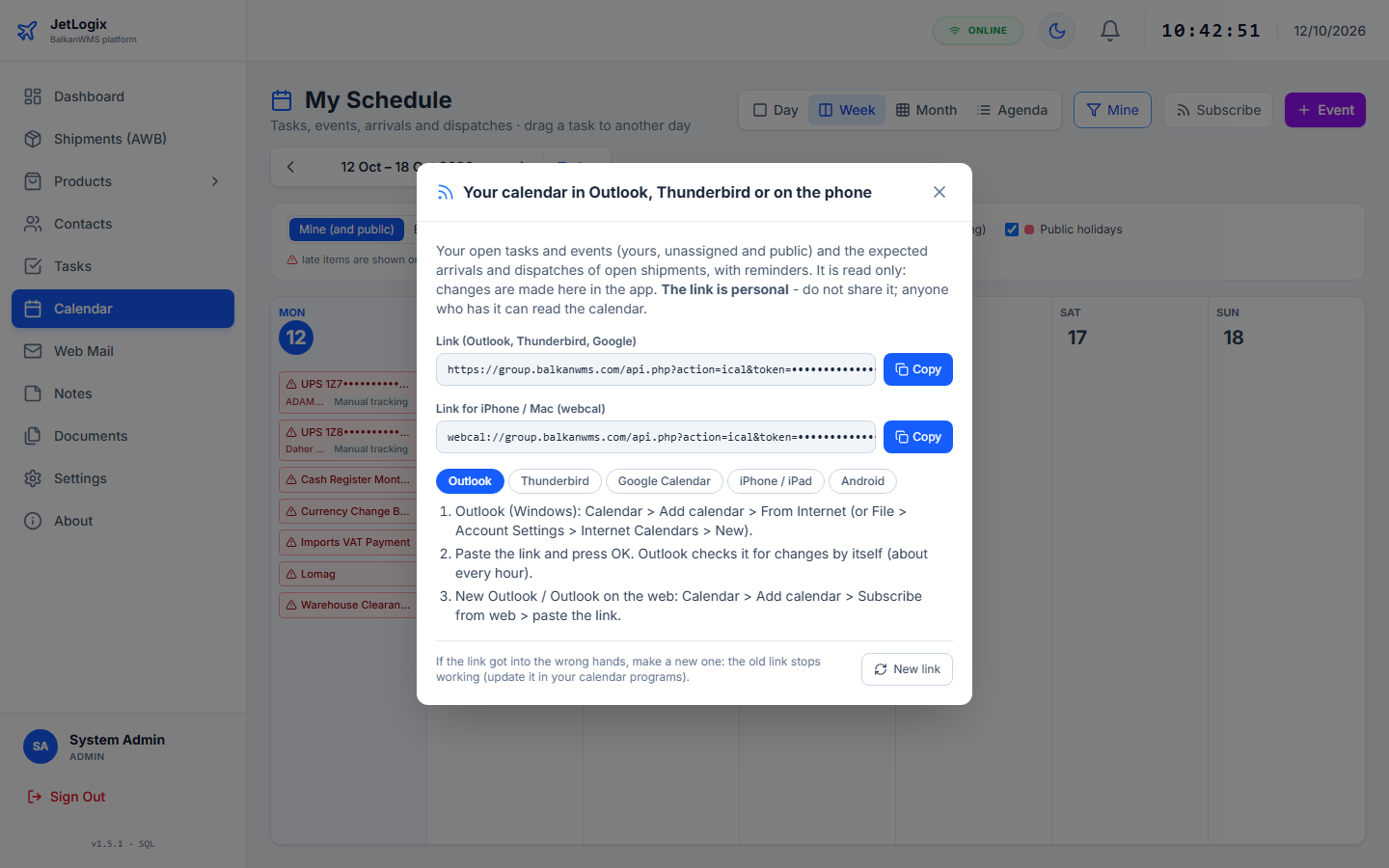
- Press Copy next to the link you need: Link (Outlook, Thunderbird, Google) or Link for iPhone / Mac (webcal).
- Open the tab of your program (Outlook, Thunderbird, Google Calendar, iPhone / iPad, Android) and follow the steps shown.
The subscribed calendar contains your open tasks and events (with their repetitions and reminders) and the arrivals and dispatches of the open shipments. It is read-only and refreshes about every hour.